Infor CRM Support Help Topics
Syncsite provides online, email and telephone support to meet all issues. Below you find help topics related to known issues to further enhance our support capabilities.
How to Update CRM Password in Web Client
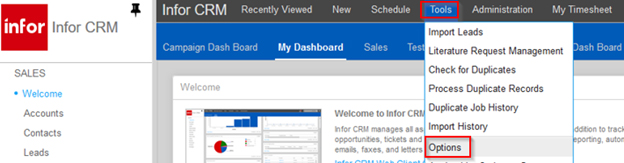
Sign into the web client and go to – Tools > Options
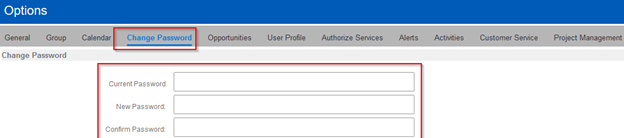
Click “Change Password”
Current Password: Provide your current CRM Password
New Password: Update your CRM Password
Confirm Password: Confirmed your updated CRM Password
Click “Save” in the top right hand corner